
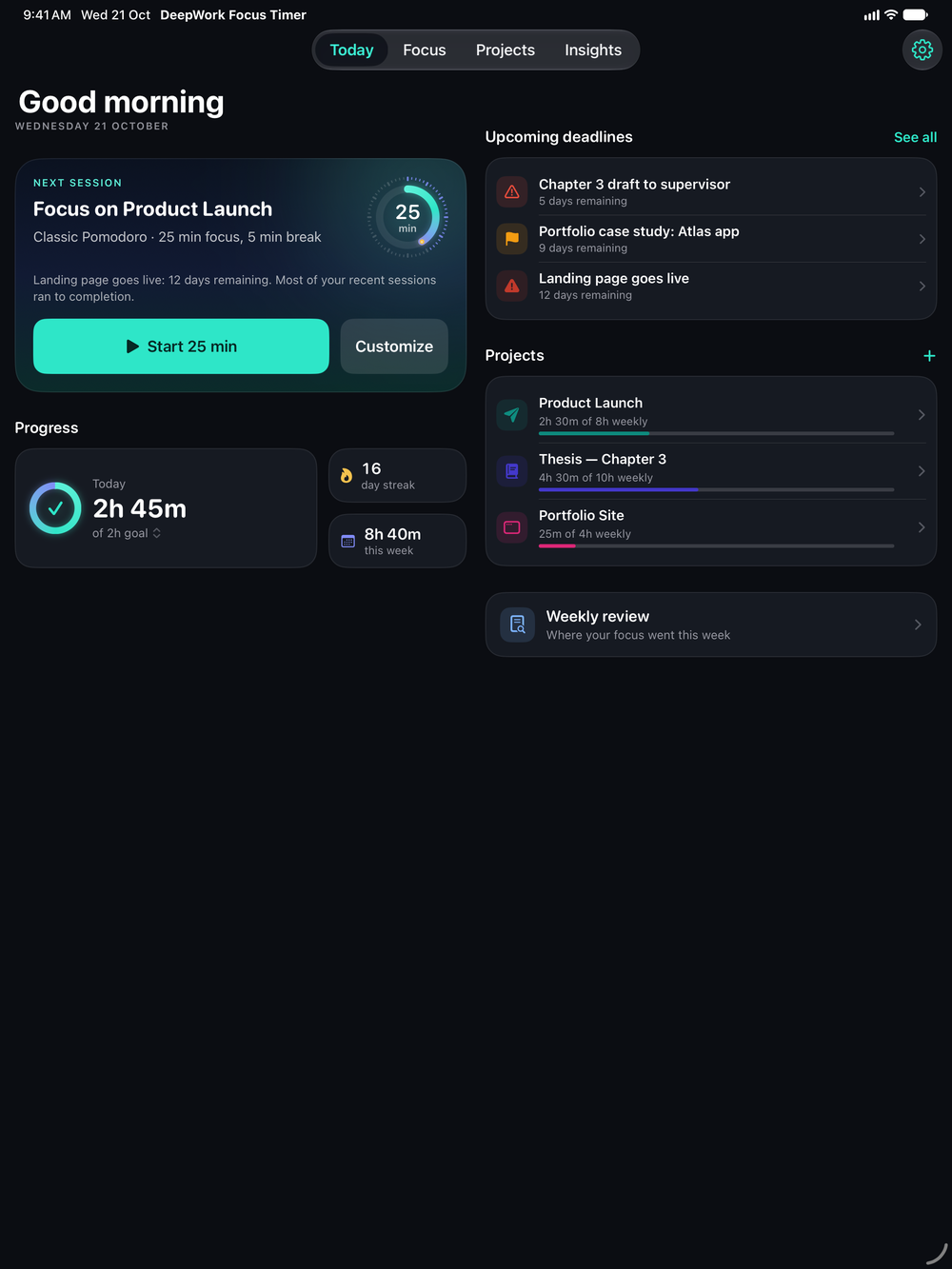
iPad
The same timer on a bigger canvas, with Today, Focus, Projects and Insights one tap apart at the top of the screen. Focus on whichever device is closest.
 DeepWork Focus Timer
Plan around real projects and deadlines. Focus with a timer that follows you to the Lock Screen and your wrist. See exactly where your hours went.
Free on iPhone, iPad and Apple Watch. No account. No ads.
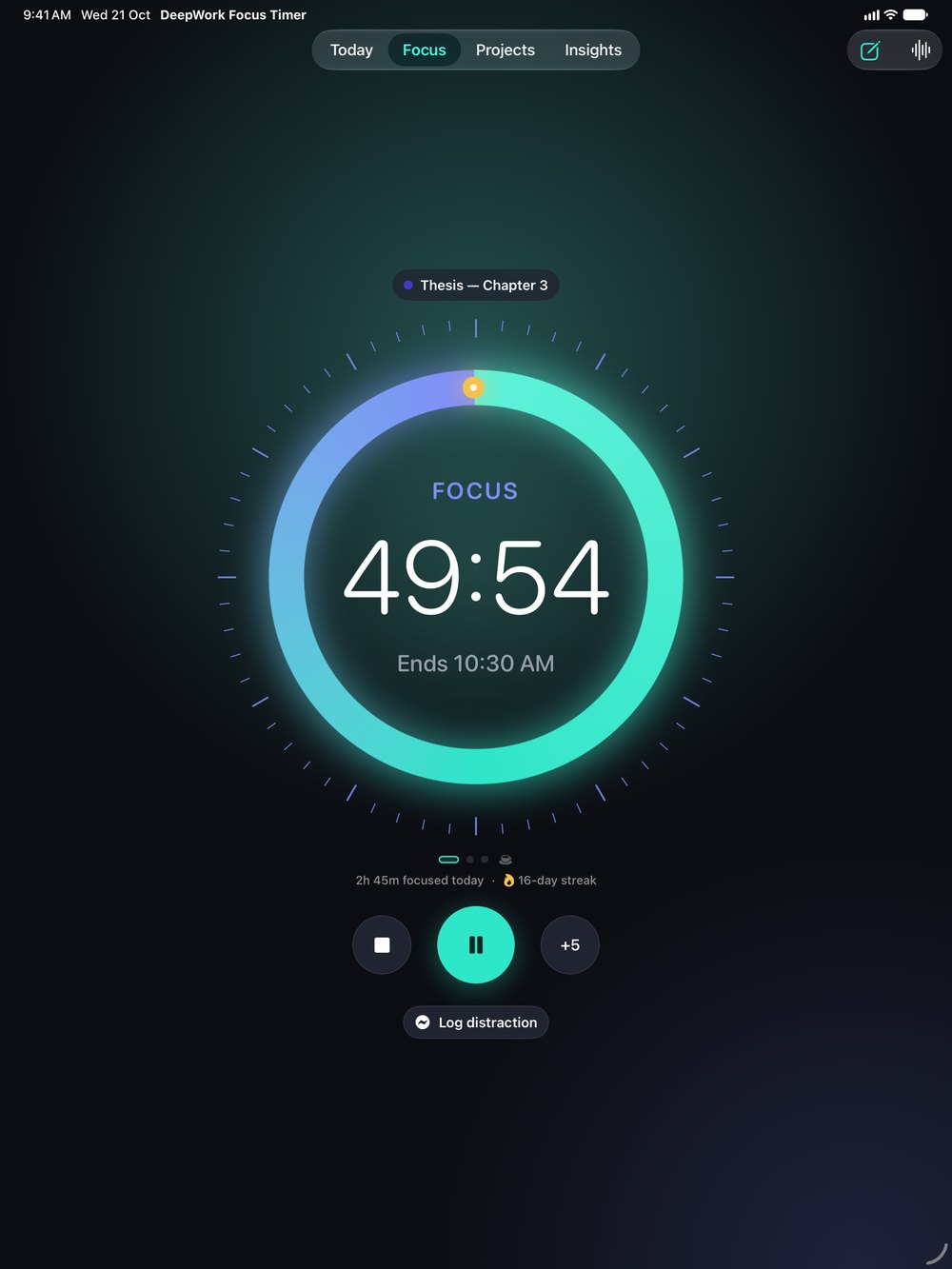
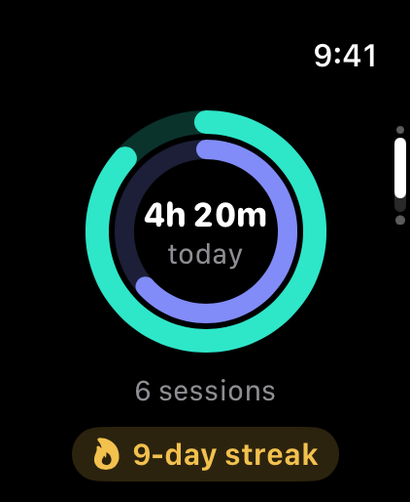
Shown: DeepWork's Today plan on iPad, a 50-minute focus session counting down on iPhone, and today's focus rings on Apple Watch.
The film

Most timers only count minutes. DeepWork knows what the minutes were for: the project they moved forward, the deadline they protected, and the streak they kept alive.
How it works
One loop, every working day. DeepWork links each step to the next, so every focused minute lands on something real.

Plan
The Today plan brings projects and deadlines together and recommends your next session. One tap takes you from that suggestion to a running timer.

Plan
Each deadline belongs to a project, with the days remaining, a priority and a reminder. The closest one shapes what Today suggests next.
Focus
Pick a classic block, tie it to a project and press start. The countdown follows you to the Lock Screen and the Dynamic Island, so checking the time never pulls you back into your phone.

Review
Your thesis, a manuscript, coursework or client work. Set a weekly hour target and watch each project fill in as you go.
Review
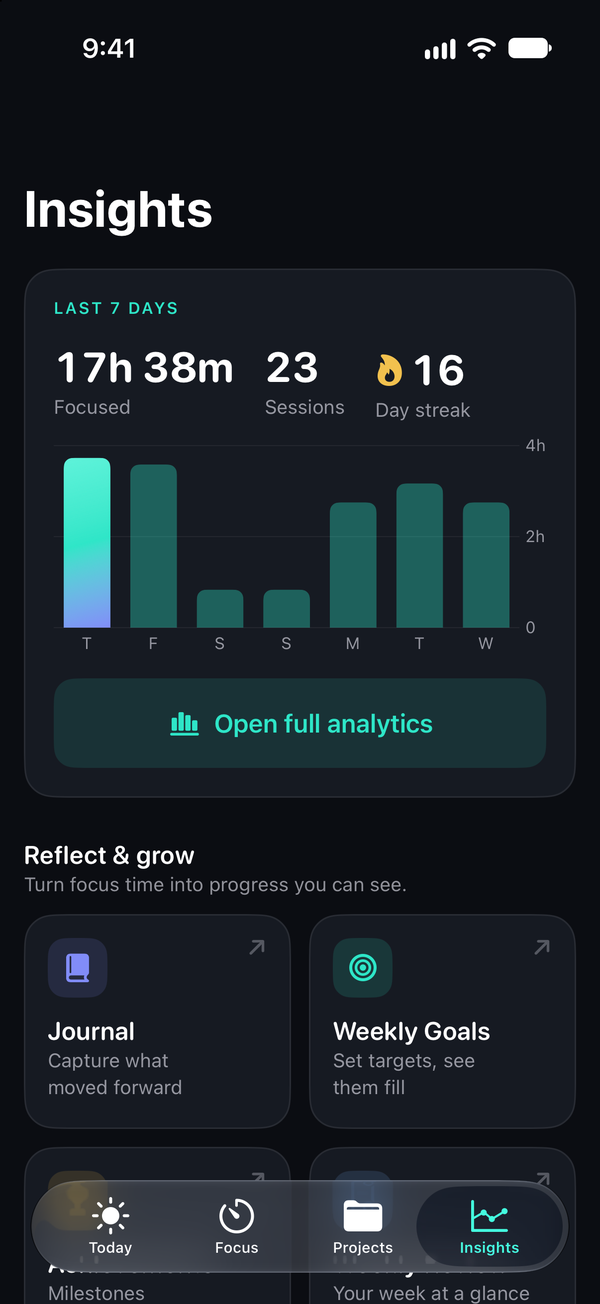
Daily totals, sessions, completion and streaks update as you work. There are no spreadsheets to fill in and nothing to log by hand.
Focus sounds
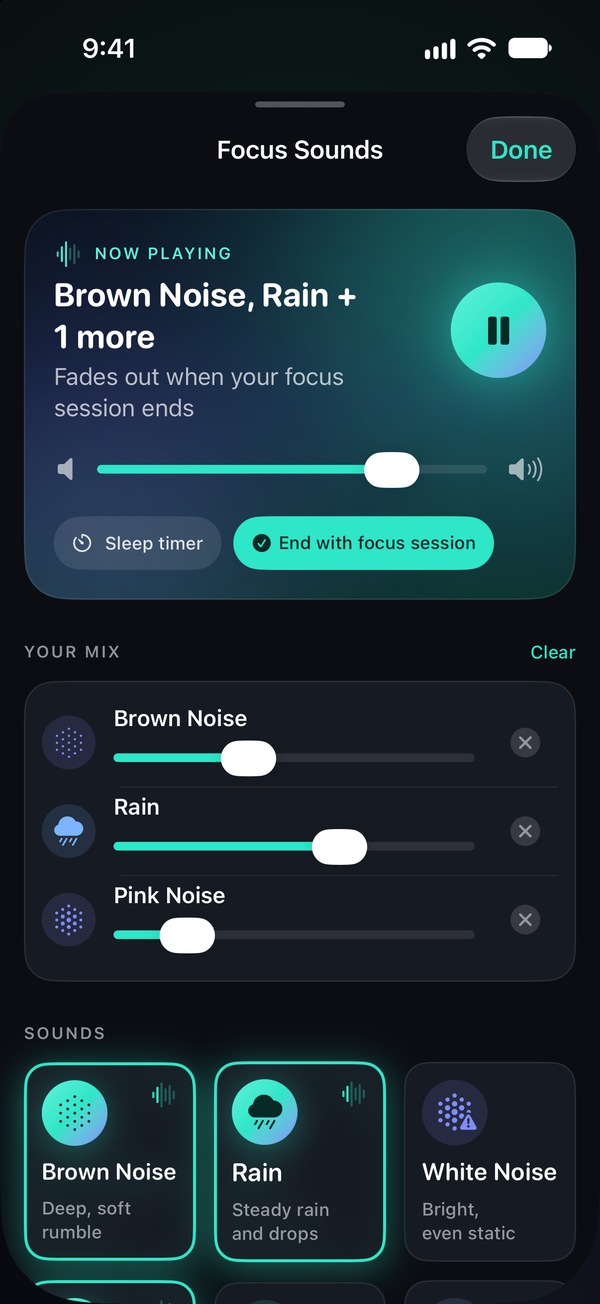
Nine soundscapes, synthesized live on your iPhone. Nothing streams and nothing downloads. Set them to fade out when your session ends.
Three sounds are free. Pro opens all nine and the mixer, so you can layer rain over brown noise. Binaural beats are a pleasant focus aid, not a medical treatment.
Everywhere you work
Apple Watch, iPad, widgets, the Live Activity and Siri all come with the free app.
The same timer on a bigger canvas, with Today, Focus, Projects and Insights one tap apart at the top of the screen. Focus on whichever device is closest.
Start a Pomodoro or a longer block from your wrist, then glance at today's focus time, sessions and streak.

Three of them: Focus Timer and Weekly Progress for the Home Screen, Focus Glance for the Lock Screen.
A running session shows as a Live Activity with the time left and your streak. Pause, resume or stop it right there, without unlocking.
Start, pause and stop sessions, log time and hear your stats hands-free.
Privacy
There's no sign-up, no ad network and no analytics company watching how you work.
Projects, sessions, deadlines and journal entries live on your iPhone. There's no account to create.
Pro members can turn on iCloud sync to keep devices in step. It's off by default and uses your own private iCloud storage, which we can't read.
No third-party analytics, advertising or tracking code. Reminders are scheduled on your device, and Apple handles purchases.
Pricing
The timer, Today plan, widgets and Watch app are free for good. Pro adds depth for people who live in their focus data.
$0 forever
Everything you need to build a daily focus habit.
Everything in Free, plus
Pro is purchased inside the app with your Apple ID. Payment is charged to your Apple ID at confirmation of purchase, or when a free trial ends. Subscriptions renew automatically unless cancelled at least 24 hours before the end of the current period, and you can manage or cancel them anytime in your Apple ID account settings. Any unused part of a free trial is forfeited when you buy a subscription. Prices are in US dollars; local prices are shown in the App Store. If Pro ends, you keep all of your data and continue on the free plan. See the Terms of Use and Privacy Policy.
Yes. The full focus timer with the classic presets, breaks, notifications, up to 3 active projects, deadlines, the Today plan, the last 7 days of insights, three focus sounds, widgets, the Live Activity, Siri and the Apple Watch app are free with no time limit and no ads.
Unlimited projects, custom timer presets, your full insights history with a heat map, comparisons and project reports, CSV and PDF export, all nine focus sounds plus the mixer, the session journal and weekly goals, themes, accent colours and alternate app icons, and iCloud sync.
The monthly and yearly plans start with a 1-week free trial for eligible Apple IDs. If you cancel at least 24 hours before the trial ends, you won't be charged. Otherwise the subscription starts automatically. Lifetime is a one-time purchase and doesn't have a trial.
Nothing is deleted. You keep every project, session and journal entry and continue on the free plan. Pro features unlock again as soon as you resubscribe or restore a purchase.
With Pro, you can turn on iCloud sync in Settings. It's off by default, uses your private iCloud account, and takes effect the next time you open the app. Without sync, everything stays on the device you used.
iPhone and iPad running iOS or iPadOS 17 or later, and Apple Watch running watchOS 10 or later.
Not for the noise and nature sounds. The binaural Focus Beats and Calm Beats only work through headphones, because each ear hears a slightly different tone.
Download DeepWork free and start your first focus session in under a minute.
Free on iPhone, iPad and Apple Watch. Pro is optional.